Python for Beginners: Your First Project, Step by Step
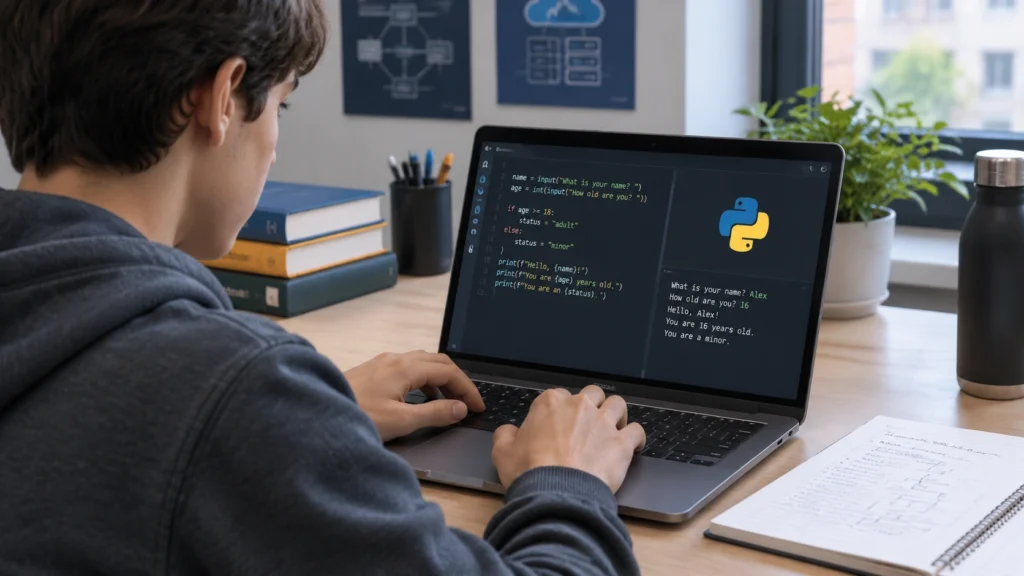
Starting something new can feel overwhelming, especially when it comes to code. This guide is designed to help you move from zero to a working program without rushing. If you have been wondering how to learn python programming for beginners step by step, this article gives you a practical path you can follow today. Because this is a technologie informatyczne topic, the focus is on understanding what happens at each stage, not just copying lines of code.
Python is a great first language because it reads almost like plain English and lets you build useful things quickly. By the end, you will have a small project that asks for your name and prints a friendly message, and you will understand how every part works.
What you need before you start
You do not need advanced math or prior coding experience. You do need a computer with internet access, a few minutes of focused time, and a willingness to try small steps. It also helps to keep a simple notebook nearby so you can write down what you try, what works, and what you want to explore next.
Step 1: Install Python
Go to the official Python website and download the latest stable release for your operating system. During installation on Windows, make sure to check the box that says Add Python to PATH. On macOS or Linux, Python may already be available, but installing the latest version from the official site is still a good idea.
After installation, open a terminal or command prompt and type:
- python –version or python3 –version
You should see a version number. If you do, Python is ready. If not, try closing and reopening your terminal, or reinstalling and checking the PATH option again.
Step 2: Create your project folder
Keep your work organized from day one. Create a folder with a clear name such as my-first-python. Inside it, create a file named main.py. Using a simple, consistent structure makes it easier to find your files and revisit your work later.
Step 3: Write your first program
Open main.py in a plain text editor or a code editor such as Visual Studio Code. Type the following lines exactly as shown:
- print(“Hello, Python!”)
- name = input(“What is your name? “)
- print(“Nice to meet you,”, name)
Take a moment to read these lines out loud. The first line prints a message. The second line asks the user for input and stores it in a variable called name. The third line prints a friendly response using that variable.
Step 4: Run the program
Open your terminal, navigate to your project folder, and run:
- python main.py or python3 main.py
You should see Hello, Python!, then a prompt asking for your name. Type your name and press Enter. The program will greet you. If you see an error, read the message carefully. Common issues include a typo, a missing quote, or running the file from the wrong folder.
Step 5: Understand what happened
The print function sends text to the screen. The input function waits for you to type something and then gives that text back to your program. When you assign that text to name, you can use it later. This small loop of input, processing, and output is the foundation of many programs.
Step 6: Make it your own
Now that it works, change it. Try these simple experiments:
- Change the greeting message to something you like better.
- Add another input question, such as asking for a favorite color.
- Use an f-string to build the message, for example: print(f”Welcome, {name}!”)
Small changes are the fastest way to build confidence. You are not just following instructions; you are learning how Python reacts to your decisions.
Step 7: Keep your code clean
Use clear variable names, add short comments when something is not obvious, and delete lines you no longer need. Clean code is easier to read, debug, and share. Even at a beginner level, these habits will save you time.
Common beginner issues and quick fixes
- SyntaxError: Check for missing quotes, parentheses, or colon characters.
- NameError: Make sure you are using the same variable name you defined.
- File not found: Confirm you are in the correct folder and that the file name matches exactly.
- Program runs but does nothing: Look for an infinite loop or a missing input call that keeps the program waiting.
Reading error messages may feel slow at first, but they are your best guide. They point you to the line and the problem.
What to learn next
Once you are comfortable running and changing your first program, expand in small steps:
- Variables and types: Learn how Python handles text, numbers, and booleans.
- Conditionals: Use if, elif, and else to make decisions.
- Loops: Repeat tasks with for and while.
- Functions: Group code into reusable pieces.
- Lists: Store collections of items and loop through them.
Each of these topics builds on the same idea you already practiced: take input, do something useful, and show a result.
A simple daily practice plan
Consistency matters more than marathon sessions. Try a short daily routine:
- 10 minutes to review what you learned yesterday.
- 15 minutes to write or change a small piece of code.
- 5 minutes to write a note about what worked and what you will try next.
This rhythm helps you remember more and keeps frustration low.
Why this first project matters
Even though your program is small, it touches real programming ideas: running code, reading output, handling input, and making changes. These are the same habits you will use in larger projects. By taking it step by step, you are building a foundation that supports everything that comes next.
With a working program behind you, you are no longer just thinking about coding. You are doing it. Keep going, stay curious, and let each small success guide the next step.